Best Client Onboarding Software: 2026 Guide

A new client pays, and the clock starts immediately.
You are no longer selling coaching. You are making sure the payment went through, the intake form was sent, the PAR-Q was completed, the waiver was signed, the first session was booked, and the welcome message did not disappear into a spam folder. If any part of that chain breaks, the client feels it before they feel the value of your program.
I learned this the expensive way. I have used software that looked sharp in the demo and fell apart once real clients started clicking around. Payment links failed. Automations fired twice or not at all. Support replied with canned answers while new clients waited on me. After that, feature lists stopped impressing me.
The best client onboarding software earns trust first.
For coaches, that means more than forms, scheduling, and payment collection. It means the tool works reliably under real conditions. It means the company fixes problems fast, communicates clearly, and does not trap you with rising costs after your client data is already inside the system. Software sits between you and your income. If the people behind it are careless, your clients pay for that before the vendor does.
A weak onboarding setup creates friction at the worst possible moment. New clients should feel guided, prepared, and confident. If they feel confused, delayed, or ignored, you start the relationship by burning trust you have not had time to build.
That is the standard I use now. I do not ask whether a platform can do onboarding. I ask whether I would trust it to handle a Monday morning sign-up without me babysitting every step.
Table of Contents
That Feeling When a New Client Signs Up and Your Real Work Begins
Where coaches lose momentum
The Perfect Client Onboarding Workflow From Start to Finish
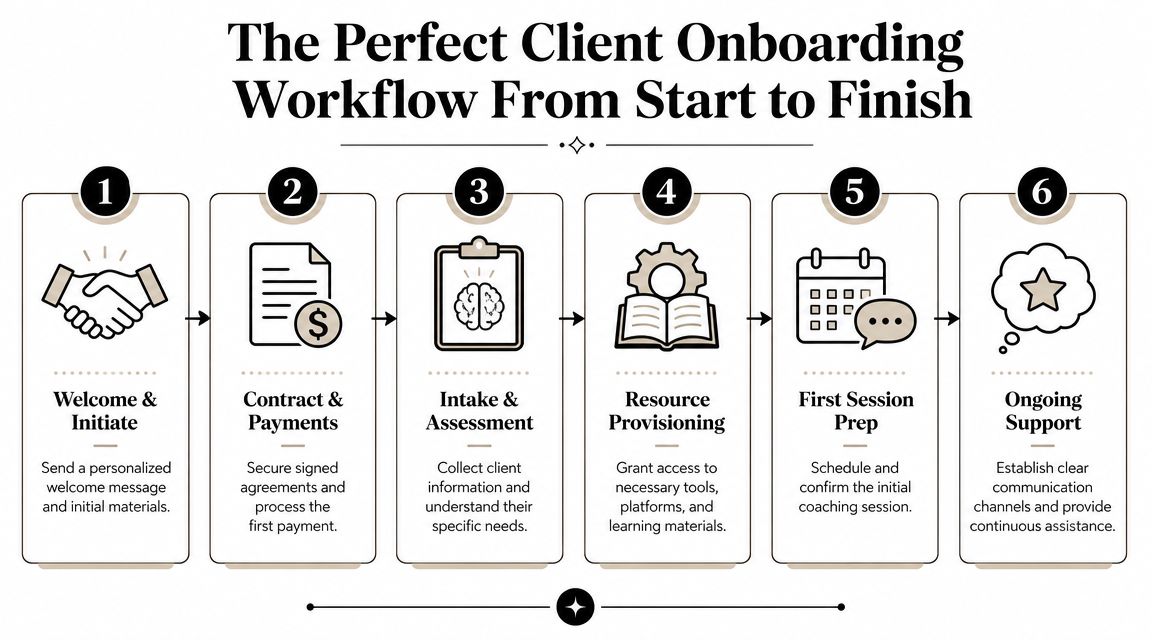
The six-step flow that works
Why this flow holds up under real use
What a client should experience in the first day
Your Non-Negotiable Software Features Checklist
What has to be in the intake flow
What has to happen after intake
The features that sound good but don't matter much
How to Judge a Vendor Beyond Its Feature List
The trust questions coaches forget to ask
Vendor Trust Checklist
Feature parity matters less than vendor behavior
Decoding Software Pricing Models and Hidden Costs
What pricing tells you
The hidden costs that matter more than the monthly fee
Your 7-Day Plan to Migrate to a New Platform
A simple week-long switch plan
Client message you can send
The Only Onboarding Metric That Really Matters
That Feeling When a New Client Signs Up and Your Real Work Begins
A new client pays at 9:12 p.m. By 9:20, they're wondering what happens next, and you're already behind if your process depends on memory, inbox searches, and three separate apps that barely talk to each other.
The pressure hits fast. You need the waiver out, the intake form completed, the first payment confirmed, the calendar link sent, and the first session booked before that early motivation cools off. I've seen good coaches lose trust in the first hour after a sale, not because their coaching was weak, but because their systems were.

Clients notice more than coaches think. They notice silence after payment. They notice duplicate questions. They notice when a form link is broken or when booking feels harder than the workout plan you promised to build.
That first stretch sets the tone for the whole relationship. If onboarding feels shaky, clients start questioning everything behind it. Can this coach stay organized? Will they remember my injury history? If I train from home as a personal training client, will this setup still hold together once real life gets messy?
Where coaches lose momentum
The breakdown usually starts in predictable places:
Forms arrive late: The client shows up to session one without finishing the prep you needed.
Scheduling drags: You burn time in texts and DMs instead of locking in a slot while the client is ready.
Payment and paperwork live in different tools: The client keeps bouncing between tabs, links, and reminders.
No clear next step: They've paid, but they still don't feel taken care of.
Practical rule: If a client has to ask “what happens next?” your onboarding system is too loose.
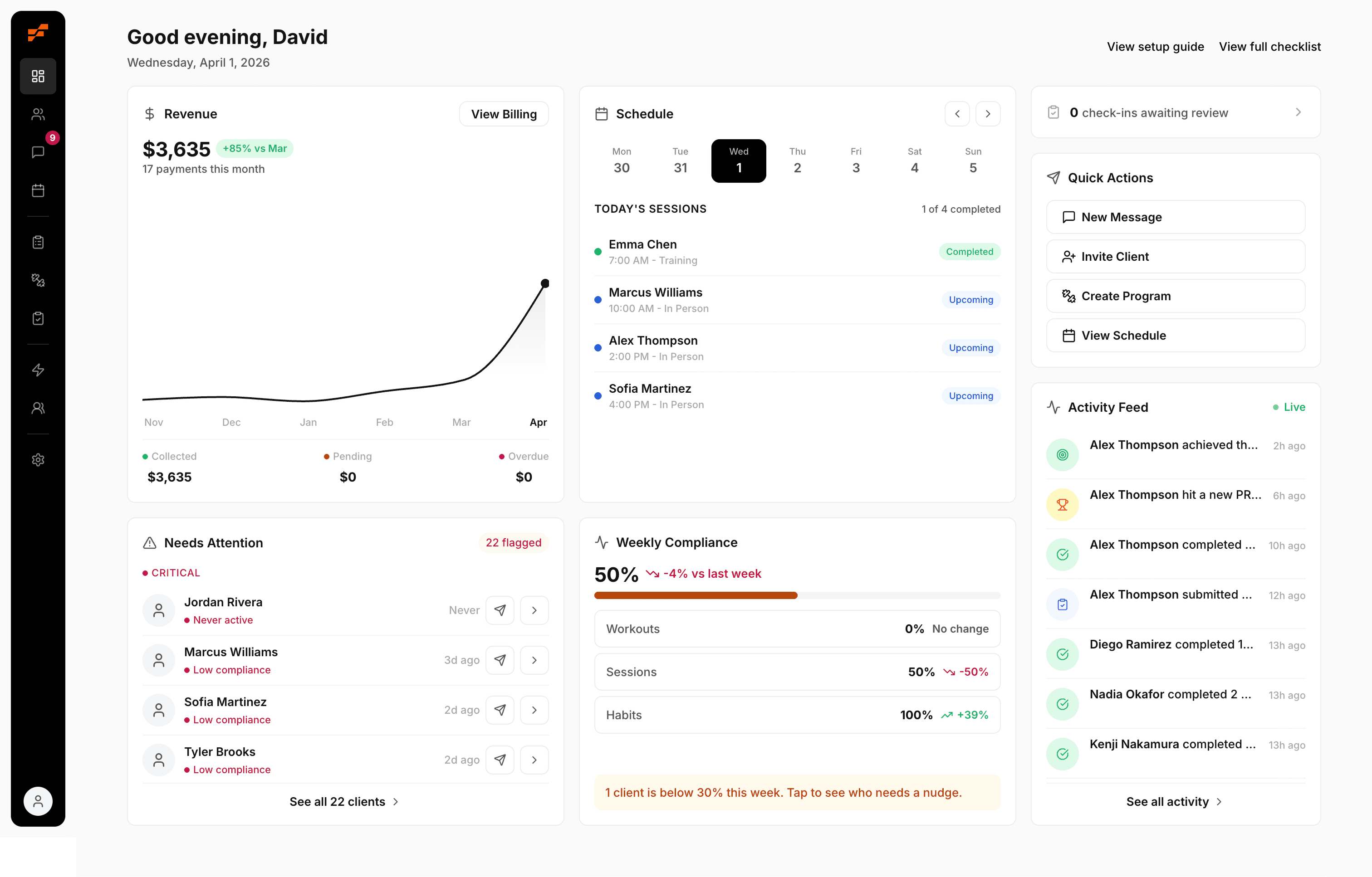
Onboarding software addresses this directly by standardizing the handoff from sale to service. The useful platforms do more than collect forms. They trigger the next action, keep records in one place, and reduce the number of times you have to manually step in just to keep the process moving.
HubSpot's onboarding workflow is a good example of the pattern to look for. A visual pipeline shows where each client stands, required fields keep details from getting skipped, and automation can create tasks, send emails, and notify your team when a key milestone happens.
For trainers, that matters for one reason. Trust is built in the boring moments. The second someone commits, intake, scheduling, payment confirmation, reminders, and follow-up should move without you babysitting every step. If the software cannot handle that reliably, the feature list does not matter much.
The Perfect Client Onboarding Workflow From Start to Finish
A client pays at 8:17 p.m. from their couch. If your system is solid, they get the right forms, book their first session, know what happens next, and wake up feeling taken care of. If your system is shaky, you wake up to a payment notification, three unread messages, and a client already wondering whether they made the right choice.
That gap is where trust is won or lost.
The onboarding flow I trust is boring behind the scenes. It runs the same way every time, with clear triggers, clear ownership, and no dependence on memory. After getting burned by software that looked polished in a demo and fell apart in real use, I stopped judging onboarding tools by feature count alone. I judge them by whether the workflow holds up on a busy week when clients are joining, rescheduling, and asking questions all at once.
The six-step flow that works
Payment or agreement confirms the relationship
This is the handoff point from sales to service. Once the client signs or pays, the system should kick off the next steps on its own. If someone on your side has to notice the payment, copy details into another tool, and manually send the welcome email, the process is already fragile.Intake and waivers are sent immediately
Send health history, goals, injury notes, training background, and required forms right away. Good onboarding software also keeps that information attached to the client record, so you are not digging through email attachments before session one.Scheduling happens through self-serve booking
Clients should see your actual availability and lock in a time without a back-and-forth text chain. Speed matters here. The longer booking drags, the more likely motivation drops and small doubts creep in.Welcome communication sets expectations
The first message should answer practical questions before the client asks them. Tell them where to message you, what to bring, how the first week works, and what you need from them. Calm, specific communication does more for trust than a flashy app screen.Resources and access are provisioned
Give access to the app, portal, habit tracker, training resources, or community at the right point in the flow. Access should match the service they bought. For coaches building a more professional remote setup, this guide to personal training from home fits well with tightening your onboarding process.First program delivery happens fast
The first workout, first habit target, or first assessment should be ready before the client feels a gap. Early momentum covers a lot of small imperfections. Dead air does the opposite.
Why this flow holds up under real use
The value of this workflow is not elegance. It is reliability.
Strong onboarding systems follow clear trigger logic. A payment or signed agreement starts the process. Forms are sent without anyone remembering to send them. Tasks are assigned. Due dates are visible. The client keeps moving without you manually pushing every step forward.
This is a process issue, not a coaching issue.
I have seen coaches blame themselves for messy onboarding when the actual problem was weak software and loose handoffs. If the platform drops notifications, splits records across different tabs, or makes automation hard to trust, you end up babysitting admin instead of coaching.
If your system needs you to remember every next step manually, it is not a system. It is a future mistake.
What a client should experience in the first day
A client who signs up today should be able to move through onboarding with very little waiting:
Complete forms: Health, goals, and readiness details in one place
Book the first session: Based on your live availability
Pay securely: Without chasing separate invoices
Know the next step: Clear instructions instead of vague promises
Start immediately: Access to their first task, plan, or program
That is what good client onboarding software buys you. Consistency, confidence, and fewer chances for trust to slip at the exact moment a new client is deciding whether your business feels dependable.
Your Non-Negotiable Software Features Checklist
Marketing pages love broad promises. Coaches need specifics.
When I evaluate software now, I ignore the shiny language and look for the features that remove real points of failure in an actual coaching week. If the platform can't handle intake, scheduling, payments, reminders, and client records cleanly, it's not helping. It's just adding another login.
What has to be in the intake flow
The first thing I check is whether the software handles intake like a real coach would.
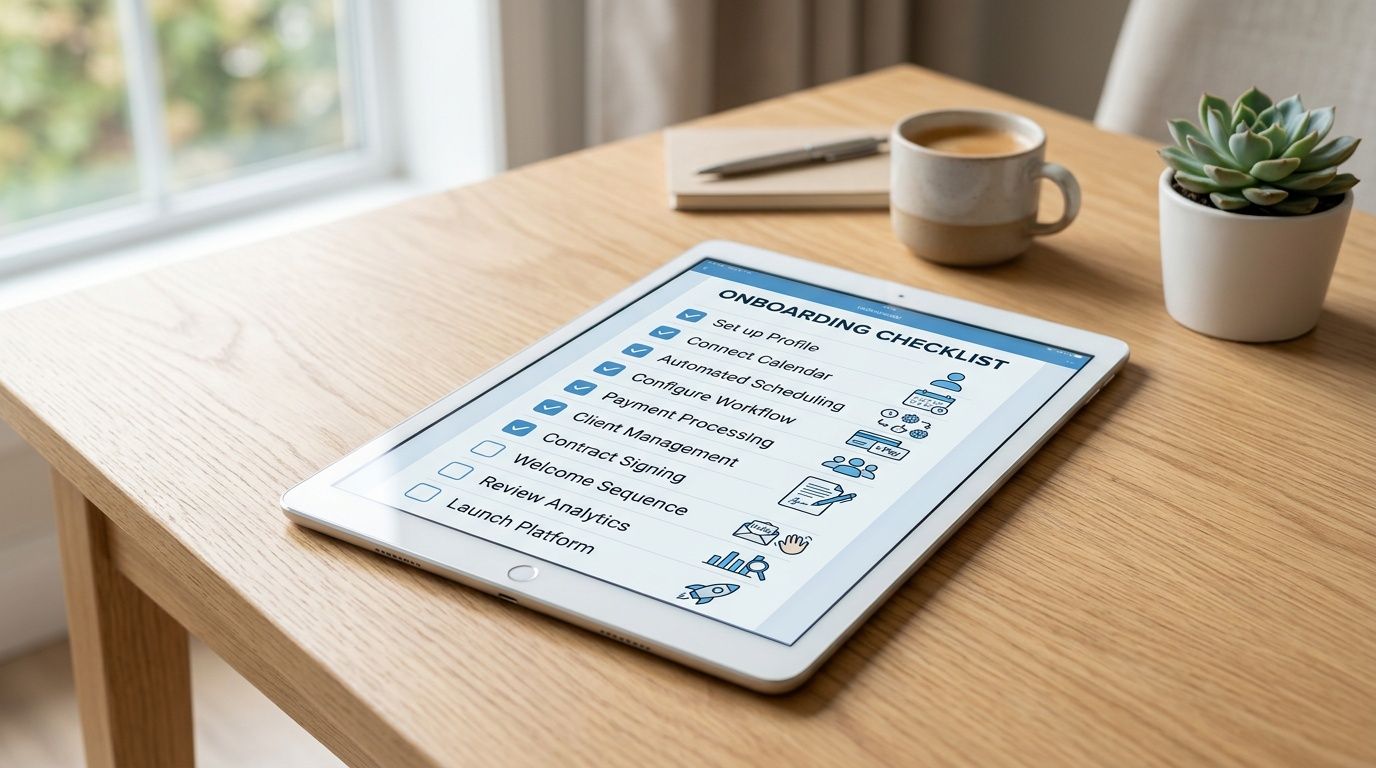
According to OnRamp's review of onboarding platforms, effective platforms separate the client-facing portal from the internal dashboard and use adaptive workflows with conditional logic, so the system only asks for information when it's needed. That's a practical advantage, not a technical nice-to-have.
For coaching, that means:
Conditional forms: Ask for PAR-Q details only when answers require it. Don't force every client through the same giant form.
Client-facing portal: Give clients one clean place for tasks, documents, forms, and updates.
Internal dashboard: Let you track what's completed, what's blocked, and what still needs review.
Unified client record: Store notes, goals, messages, and completed steps together.
If you coach nutrition alongside training, the same logic applies to macro setup and food adherence. This breakdown of macro examples for coaches and clients fits neatly into the kind of structured onboarding flow that keeps nutrition from becoming an afterthought.
What has to happen after intake
A lot of tools collect information well enough. Then they fall apart.
The second half of the checklist is what happens once the client submits everything:
Two-way calendar sync: Your availability should reflect reality.
Integrated billing: One-time and recurring payments should live inside the same workflow.
Automated reminders: Session reminders and check-in reminders should go out without manual follow-up.
Task automation: If a client completes intake, the next step should trigger automatically.
Clear visibility: You should know, at a glance, whether someone is ready to start or stalled.
Here's the test I use. If a client signs up Friday night, can the system keep them moving before I'm back at my desk Monday morning?
If the answer is no, the software still depends too much on you.
Here's a useful walkthrough on what a cleaner onboarding setup should look like in practice:
The features that sound good but don't matter much
Some features make demos look strong but don't improve coaching operations much.
Feature type | Worth caring about | Usually overrated |
|---|---|---|
Client setup | Conditional forms, task triggers, reminders | Fancy templates you'll never customize |
Daily use | Calendar sync, payments, unified profiles | Extra dashboards with no action attached |
Client experience | Clear portal, simple next steps | Branding options that don't fix workflow |
Coach control | Internal visibility, automation rules | Complexity that requires constant setup |
Non-negotiable: Every onboarding step should either reduce admin, reduce client confusion, or reduce delay. If it doesn't do one of those, it's clutter.
How to Judge a Vendor Beyond Its Feature List
A polished demo means very little at 6:00 a.m. on a Monday when three new clients are waiting, one intake form failed, and support still has not answered the ticket you sent Friday.
That is the point where software stops being a product page and starts affecting your reputation.
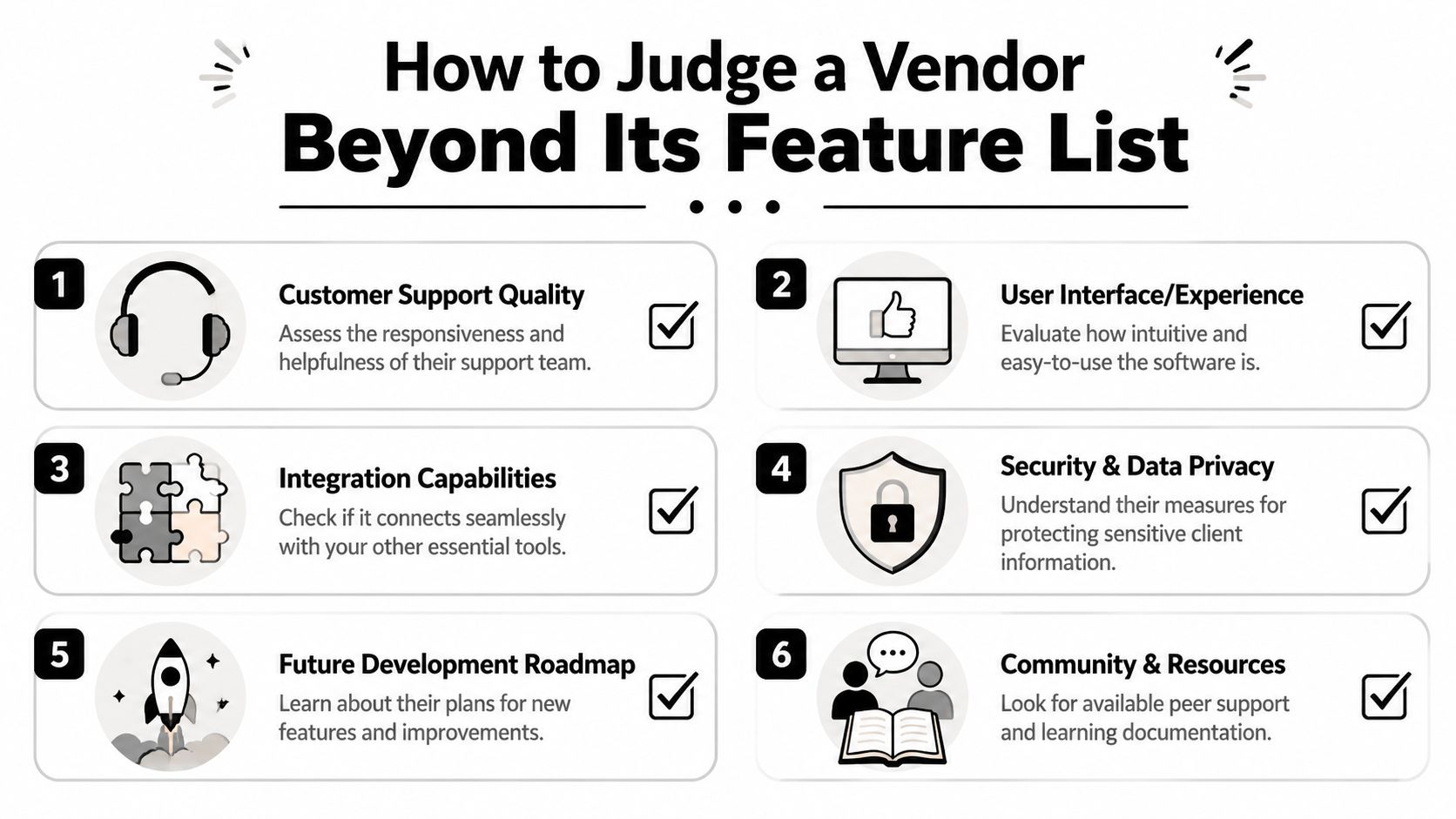
I judge vendors the same way I judge any service I might trust with client results. I want to know how they behave under pressure, how they handle mistakes, and whether their team understands the messy reality of coaching businesses. A platform can have every feature on your shortlist and still be a bad bet if the company behind it is slow, evasive, or building for someone other than coaches.
The trust questions coaches forget to ask
Before I commit to any onboarding tool, I want clear answers to these questions:
Who built this, and who are they building for? Teams that understand coaching usually solve practical problems better than teams chasing generic use cases.
What happens when something breaks? Look for real support ownership, response expectations, and a visible path to resolution.
How often are bugs fixed? Every tool has issues. The difference is whether the company acknowledges them and closes the loop.
How clear is the pricing before you buy? If you need a sales call to understand basic limits, expect friction later.
What happens to user feedback? Good vendors can point to changes they made because customers asked for them.
Does the roadmap match how coaches work? If every new release serves enterprise teams, solo coaches and small studios will stay low priority.
If you want a broader comparison point while shortlisting tools, this guide to the best personal trainer app options for coaches is a useful gut check.
Bad software does not just waste time. It makes you look careless in front of paying clients.
Vendor Trust Checklist
Evaluation Criteria | What to Look For (Green Flag) | What to Avoid (Red Flag) |
|---|---|---|
Support quality | Real responses from people who understand coaching workflows | Slow replies, canned answers, no ownership |
Reliability | Stable core functions, clear bug reporting, visible fixes | Repeated issues in scheduling, payments, or messaging |
Pricing transparency | Simple model, easy to understand before you buy | Hidden tiers, vague add-ons, surprise increases |
Product direction | Features that solve real coaching problems | Random additions that do not improve daily use |
User feedback loop | Coaches can suggest changes and see action | Feedback goes into a black hole |
Company fit | Team understands independent coaches and small rosters | Product feels built for someone else entirely |
Feature parity matters less than vendor behavior
A lot of onboarding platforms look close enough on paper. They all promise forms, task flows, client portals, reminders, and integrations. Coaches get stuck when they treat that surface-level similarity as proof that the tools are interchangeable.
They are not.
The difference shows up after signup. You see it in how fast support replies. You see it in whether known issues are documented or ignored. You see it in whether the company keeps improving the boring core functions that make onboarding dependable, or keeps shipping flashy extras that look good in demos and create more setup work later.
I would rather use a simpler platform from a team that listens, fixes problems, and respects small business customers than a bigger platform from a vendor that acts like my business is too small to matter. That trade-off has saved me more trouble than any long feature comparison ever has.
Decoding Software Pricing Models and Hidden Costs
A pricing page can look reasonable right up until your first busy month.
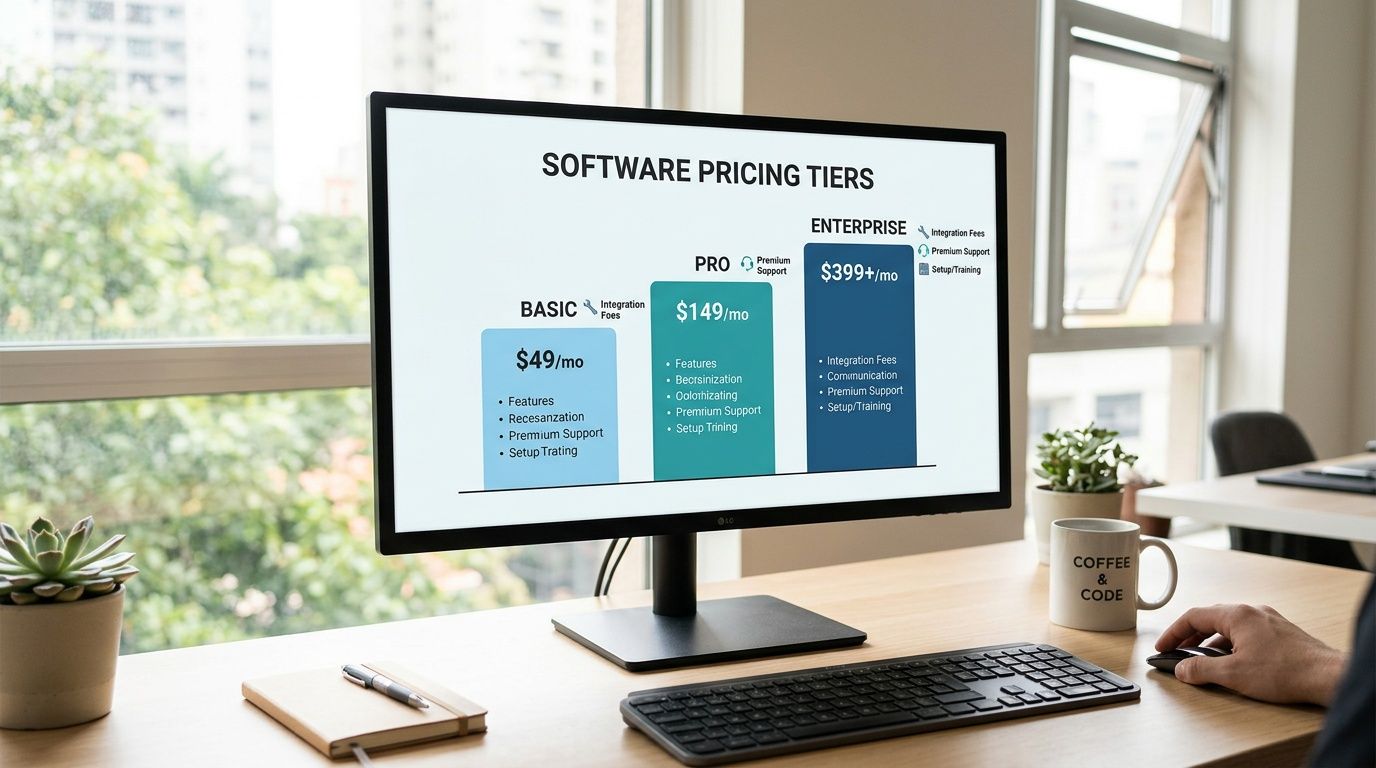
That is usually when the bill stops matching the promise. A tool starts at a low monthly rate, then charges more for automation, more for extra users, more once your client count passes a threshold, and more if you want basic reporting. By that point, switching back out is a project, so a lot of coaches keep paying and absorb the frustration.
What pricing tells you
Pricing shows how a company expects to make money from your growth. That matters.
A fair tiered model is easy to live with if the limits are clear before you buy and the upgrade path matches a coaching business. A per-client model can also work if you can predict the jump before it hits. Problems start when the vendor prices for a larger team, hides the useful features in upper tiers, or forces you into custom quotes just to understand your real cost.
I look for one simple test. Can I estimate my bill six months from now without booking a sales call or reading fine print? If the answer is no, I assume the surprises favor the vendor, not me.
The hidden costs that matter more than the monthly fee
The monthly fee is only one line item. The bigger cost often shows up in time, stress, and cleanup work.
Feature gating: The plan looks usable until you discover forms, automations, or branded client flows sit behind a higher tier.
Seat creep: An assistant, VA, or second coach turns a modest subscription into a much larger recurring expense.
Implementation fees: Some platforms keep setup support, migration help, or onboarding assistance outside the listed price.
Workaround costs: You end up paying for extra tools because the platform cannot handle one part of your process cleanly.
Exit friction: Exporting notes, forms, and client history is harder than it should be, which keeps you stuck longer.
Trust tax: You spend your own attention checking whether reminders sent, forms saved, or automations fired.
That last one gets ignored too often. If I have to babysit software, I count that as a cost. A cheap tool that makes you verify every step is not cheap.
The same logic applies outside onboarding too. If you also coach habits or meal compliance, use the same filter when comparing a free nutrition tracking app for coaches. Price matters, but reliability and day-to-day workload matter more.
Cheap software gets expensive fast when it creates admin you have to absorb yourself.
The best client onboarding software keeps pricing clear as your roster changes, and it gives you confidence that the bill will not suddenly rise the moment your business gains momentum.
Your 7-Day Plan to Migrate to a New Platform
A client signs up on Friday. You should be focused on their first session, their goals, and the plan you promised. Instead, you are staring at two browser tabs, one old platform, one new one, hoping nothing gets lost in the handoff.
That is why coaches stay too long with software they no longer trust. The switch feels risky, especially when client data, payments, forms, and session notes all live in different corners of the business. I have made that mistake before. The fix is to keep the migration small, controlled, and testable.
A simple week-long switch plan
Day 1, map what has to keep working
Write down the workflows that directly affect a paying client. Intake forms, waivers, scheduling, invoices, reminders, program delivery, check-ins, notes. Skip the nice-to-have items for now. If a workflow does not affect service delivery or cash flow this week, leave it out of version one.
Day 2, export the records you cannot afford to lose
Pull contact details, active plans, signed documents, payment status, and current coaching notes. Keep a backup copy outside both platforms. If a vendor makes exports awkward, pay attention. That tells you something about how they treat customers once the sale is done.
Day 3, rebuild one clean onboarding path
Set up the exact sequence for a brand-new client, from payment confirmation to first assigned task. Keep it short. The goal is not to recreate every automation you have ever built. The goal is a reliable path that works every time.
Day 4, test it like a skeptical client would
Run a full test using your own email address or a trusted client who is comfortable helping. Complete the form. Book the session. Open the welcome message on mobile. Check whether reminders arrive on time and whether links send people to the right place.
This is the day bad software usually reveals itself.
Day 5, move active clients in small groups
Start with low-complexity clients first. Pick the people with straightforward schedules, current payment details, and minimal custom setup. That gives you room to catch mistakes before you move clients who need more support.
Day 6, rewrite the client-facing communication
Your old instructions usually carry workarounds from the last platform. Remove them. Give clients one clear message, one login path, and one next step. If food logging or habit coaching is part of your service, check that the onboarding experience also supports that side of the business. This guide on choosing a nutrition coach app for client coaching workflows is a useful cross-check.
Day 7, shut the old system down with intent
Archive what you need. Confirm what transferred. Then stop using the old platform for daily work. Running both systems side by side for weeks creates duplicate notes, missed messages, and confusion about which record is current.
Client message you can send
Keep the announcement calm and specific:
Hi [Client Name], I'm moving client operations to a new platform this week so your scheduling, communication, and program access are easier to manage in one place. You'll receive a new invite shortly with simple steps to log in. If anything feels unclear, message me directly and I'll help right away.
Clients do not need a long explanation. They need confidence that you are in control, the process is clear, and support is available if something breaks.
That last part matters. A migration is not only a software task. It is a trust test, both for your clients and for the company behind the tool you chose. If support disappears, bugs sit unresolved, or simple fixes take weeks, that is not a minor annoyance. That is a direct threat to client experience and revenue.
The Only Onboarding Metric That Really Matters
The metric I care about most is time to first value.
For coaching, that means one thing. How quickly can a paying client complete onboarding and do the first meaningful piece of work? That could be logging the first workout, booking the first session, completing the first check-in, or finishing the first nutrition task. If that moment takes too long, motivation fades and admin fills the gap.
That's why I don't judge the best client onboarding software by how many features it claims to have. I judge it by whether it shortens the distance between payment and progress.
The strongest tools create trust because they reduce waiting, reduce confusion, and reduce the number of times a client has to ask what comes next. That same standard is why FitCentral stands out. It was co-founded by David Spitdowski, a practicing personal trainer, which matters because this product wasn't shaped by people guessing what coaches need. It was shaped by someone still dealing with the same onboarding, scheduling, and retention problems in real client work.
Your next step is simple. Map your current onboarding from signup to first completed workout. Circle the single biggest friction point. Fix that this week.
If you want a platform built specifically for coaches who are tired of buggy apps, vague support, and pricing that creeps upward, look at FitCentral. It was built for the exact handoff that matters most, getting a new client from payment to progress without the usual admin mess.
See also




Ready to stop fighting your software?
FitCentral gives you everything you need to manage clients, deliver results, and grow your business. Sign up today.